Trying to open a bank account or sign up for a service should be quick, but identity verification often stalls you. In 2025, 2.15% of ID checks failed on nearly 100 million verifications in North America, which means bad or fake IDs get flagged at scale.
This happens more now because fraud keeps getting smarter, and many companies also run tighter tech limits to block risk. AI fraud is booming, so fake faces, altered documents, and synthetic identities can slip past basic checks.
In the next sections, you’ll learn the most common reasons verification fails, from simple tech glitches to smarter fraud tricks, plus what to do when it happens to you. Then you can spot the problems early and avoid repeat lockouts.
Technical Glitches That Trip Up ID Scans
Most ID scans fail for one simple reason, the system cannot read your document cleanly. Sometimes your ID is fine, but the scan tech hits a wall. Other times the document has issues you might miss during a rushed checkout or login.
Below are three everyday glitch patterns that trip people up. For each, you will also find practical fixes that reduce repeat denials.
Expired IDs and Document Quality Issues
Expired or damaged IDs cause failures because scanners and verifiers expect usable fields. If the expiration date is past, or the printed elements look altered, the system often stops the scan. In alcohol sales, failures can jump to 15.1%, largely tied to fake IDs and misread or expired documents.
Document quality matters more than most people think. A creased card folds light back into the scanner. Glare from a plastic sleeve washes out key details. Even slight blur can hide small security marks that confirm the document is real and current.
Here is what the scanner struggles with most:
- Creases and wrinkles: folded laminate creates dark bands or missing lines in the captured image.
- Glare and reflections: shiny surfaces bounce light, which hides tiny text and patterns.
- Worn or smudged areas: fingerprints and scratches blur the barcode or photo region.
- Outdated expiration dates: even a valid-looking ID fails once it is no longer current.
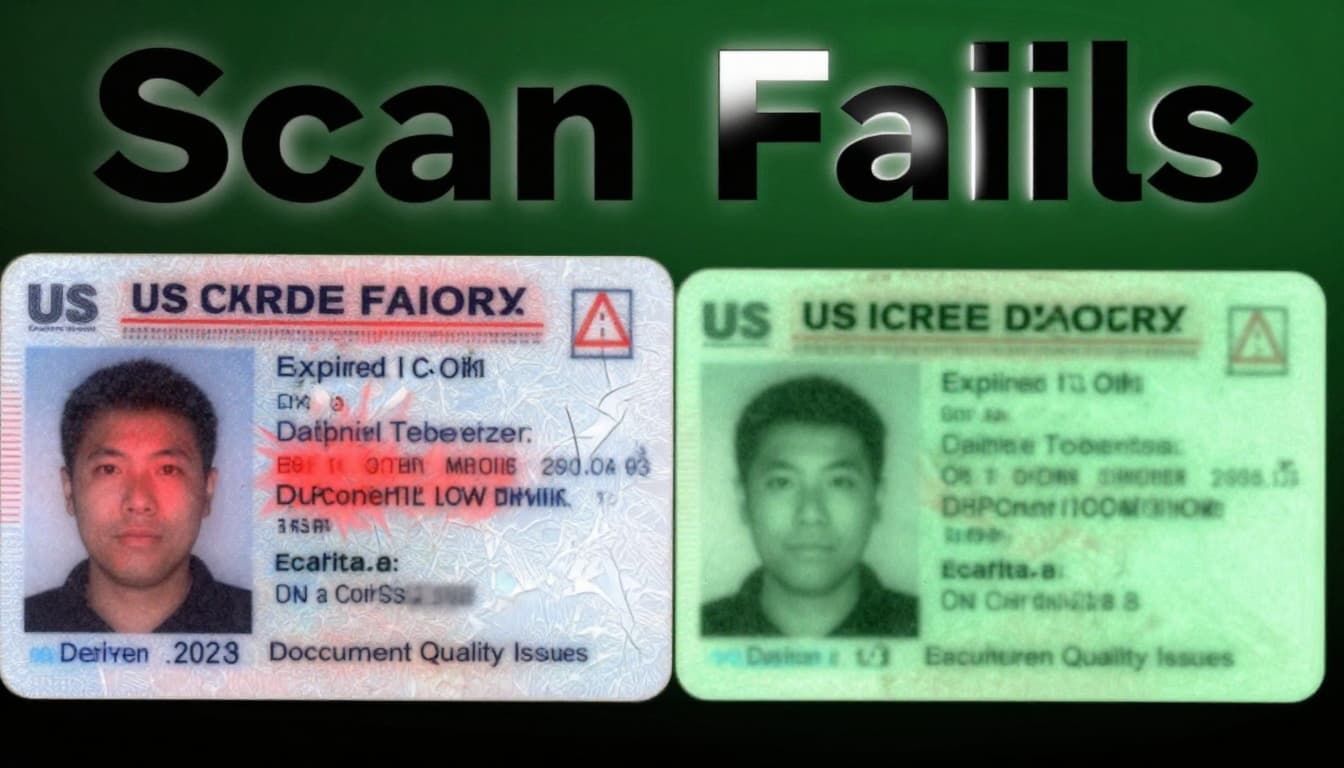
You can fix these issues fast. Try these steps before you resubmit:
- Check the expiration date. Don’t assume, look closely at the printed month and year.
- Remove sleeves or covers. If you use one, take the ID out for the scan.
- Clean the card gently. Use a soft, dry cloth. Avoid harsh cleaners.
- Flatten the document. Hold it with two hands to reduce folds and shadows.
- Use even lighting. Face a light source, not a bright glare behind you.
- Keep the phone steady. Slow down until the app confirms the frame is sharp.
If you want a quick benchmark, compare a “good scan” vs a “bad scan” photo on your own device. Look for sharp date text, clear barcode lines, and a readable photo edge. When those fields look crisp, the verifier usually can do its job.
For context on why alcohol age checks stay strict, see Alcohol Access: State-identification Check Failure Rates.
Biometric Mismatches and Face Recognition Fails
Face checks fail when your live image does not match the ID photo closely enough. That mismatch can come from normal life changes, not fraud. For example, a different camera angle, recent weight change, or a new hairstyle can shift facial features. Masks also cause trouble, even when your eyes are clear.
Timing matters too. Biometrics often compares your face to an ID image captured at another time. If the gap is a few years, the system might flag it as “uncertain.” Meanwhile, online bank flows can be hit hardest by these errors. In fact, online banks see about 5.5% ID scan failures, and face mismatches contribute to those denials.
A few common triggers stand out:
- Angle mismatch: holding your phone too high or too low changes face shape.
- Aging and lighting: shadows can flatten your features and confuse the match.
- Accessories: hats, heavy makeup, tinted glasses, and even facial hair can shift the look.
- Masks: partial face coverage removes cues the matcher relies on.
- Filters: AR effects alter contrast and proportions, so the match fails.
Good biometrics still fail sometimes. Yet you can reduce failures quickly by making your photo capture “boring” and consistent. Think of it like taking a passport photo, not a selfie.
Try this approach:
- Face the camera straight on. Keep your head level, and center your face.
- Smile naturally (not forced). A mild smile helps keep the face shape stable.
- Use steady lighting. Bright, even light beats dim rooms and overhead shadows.
- Skip filters and beauty modes. They can change the face map the system reads.
- Hold still until the app finishes. Rushing creates blur, and blur acts like a mismatch.
These failures can have real consequences. A facial recognition mismatch case shows how errors can escalate when systems and processes do not match reality, as covered by facial recognition mismatch reporting. Even if your situation is not law enforcement, the core issue is the same: the system locks onto the wrong signal.
If you want to understand how IDV systems target failure patterns, Intellicheck publishes research through IDV failure rate research updates.
Barcode and Data Reading Errors
Sometimes the face matches, but the barcode or machine-readable data fails. That glitch is common on mobile scans because cameras vary. Also, many scan apps run a quick “quality check” before they accept the data. If the barcode does not decode cleanly, the verifier cannot confirm the ID fields.
Hidden security data is packed into those barcode lines. The system does not just read the visible numbers. Instead, it also checks whether the encoded data fits expected patterns and matches the document. When the decode is partial, the system may reject the ID, even if the printed ID looks real.
This is one reason some lenders face higher denial rates. Subprime and payday lending often shows 2.6% failure rates, which can rise when barcode reads are inconsistent or the document is hard to scan fast.
Barcode and data reading errors often come from:
- Bad focus: the barcode looks “sort of sharp,” but the app needs crisp edges.
- Motion blur: a moving hand turns thin lines into gray smears.
- Low light: glare and shadows reduce contrast in the barcode.
- Wrong scan distance: too close or too far causes distortion.
- Damaged barcode area: scratches or peeling laminate hide the data.
You can fix most of these with simple habits. Keep the scan slow and controlled, like lining up a QR code at a restaurant.
Use these tips when you rescan:
- Use the right app. If you switch apps mid-process, the scan settings can change.
- Hold steady for the “lock” moment. Wait for the app to confirm capture quality.
- Aim for flat contact. A tilted ID changes barcode geometry.
- Adjust lighting, not your speed. Move toward a brighter spot, or cover glare.
- Try a different angle. If the app struggles, tilt slightly until lines look clear.
- Resist the sleeve. If your ID sits in plastic, remove it first.
Steady hands matter more than people expect. Your phone camera turns the barcode into an image, and the app needs that image to be clean. If you treat the scan like a slow photo, you give the system the data it needs.
For a related view on how ID scanning improves lending workflows, see how ID scanners speed up approvals. The takeaway is simple: better reads lead to fewer false denials, and fewer denials mean fewer repeat attempts.
Sneaky Fraud Tactics Evading Verification
A lot of people assume identity checks fail because the system is strict or buggy. Sometimes that’s true. However, many denials happen because fraudsters work the edges of the process.
In 2026, the fraud playbook often follows one rule: pass fast checks, then build trust over time. These criminals don’t always need a perfect fake. They need enough signals to get through onboarding, then they expand the damage after the account is live. Think of it like a thief slipping into a concert because one gate scan says “okay,” then walking deeper once security shifts focus.
Two tactics show up again and again.

Synthetic Identities: The Invisible Fraud Wave
Synthetic identities are fraud built from pieces, not a single forged document. Usually, the fraudster mixes real leaked data with fake details. Then they shape a story that looks steady, like a life that already exists.
Here’s how it often works in practice:
- They take real data from breaches (for example, a real SSN).
- Next, they pair it with made-up information (name, job, address timing).
- Then, they create a trail of credibility with real-looking email, phone, and social profiles.
Because many onboarding checks focus on point-in-time signals, synthetic identities can slip through. Basic KYC may say, “This ID matches.” Credit file checks may show “thin but plausible.” Risk teams often see enough consistency to approve.
Meanwhile, the fraudster keeps the pace just slow enough to avoid alarms. They may open an account, request a credit product, and build history over months. After that, the defaults arrive on a timetable that looks “normal” to a model trained on old patterns.
Fintech examples make the risk clearer. When fraud rings can spin up new identities quickly, they can also test different flows across banks and fintech apps. As reported in 2026 coverage like 7 Ways Synthetic Identity Fraud Is Changing in 2026, fraud teams increasingly use AI to scale the entire identity setup.
One reason password reset systems get hit too is simple: they often trust the identity signals they already approved. Many password reset flows add friction, but attackers can still pass when the original setup was “good enough.” In real-world reporting, synthetic-related failures can still slip into password reset processes, even when liveness and face checks look fine at signup.
So what should you watch for? Instead of only asking, “Is this identity real today?” you need to ask, “Does this identity behave like it belongs to a real person tomorrow?”
A helpful way to think about it is this: one-time verification is a snapshot, synthetic fraud is a time-lapse. That’s why fixes in 2026 often focus on ongoing monitoring, not just onboarding checks.
The hardest synthetic fraud is the kind you approve first, then discover later.
Deepfakes and AI-Generated Fake Documents
Deepfakes add a new layer of speed and realism. They can produce faces, voices, and video clips that look right to humans. More importantly, they can fool parts of the system that were trained on older fraud styles.
For online identity verification, deepfakes matter in two ways. First, they can bypass “looks-like-you” checks by generating a plausible match during a live capture. Second, they can support broader scams by pairing fake media with fake documents and clean narratives.
AI-generated documents are even more dangerous because many legacy detectors focus on surface traits. If a forged document looks consistent under common lighting and camera angles, it can pass automated gates. Fraudsters can then move to the next step, like adding a bank account, requesting a payout, or changing contact details.
In the real world, operators have reported issues with lab-tested deepfake tools failing when tested against live, messy conditions. Coverage like Shufti warns that lab-tested deepfake tools are failing in the real world highlights a key truth: attackers adapt to the verification setup. They also learn what works against specific service providers.
Contrast that with biometrics. Biometrics help, but they’re not magic. Face checks can fail due to normal changes, but deepfakes add another failure mode. Biometrics systems may judge “similarity” during short windows. That can leave gaps if the check expects one kind of input while the attacker supplies another.
Also, document checks and biometrics checks can be fooled independently. A fraudster might generate a face that passes the selfie match. At the same time, they might supply a document that passes the scan. The combined result looks solid, even when the person behind the screen is fake.
Deepfakes also hit hard when services rely on single “moment” verification. Liveness tests can help, but they don’t always cover every channel or every edge case. For example, if the service verifies at signup, then trusts later actions (like password resets or new device logins), fraudsters can ride that trust.
Here’s where the risk spikes for many online services:
- Video-based verification that runs quickly, without strong behavioral proof.
- Document-first flows where scan quality becomes the main gate.
- Thin long-term monitoring, so early signals do not update risk later.
In short, deepfakes and AI documents turn verification into a moving target. Fraud teams can test variants, then keep only the versions that pass your checks.
That’s why the best fixes in 2026 stack signals. Instead of betting on one check, you build layers across time: document integrity, liveness signals, device and network traits, and user behavior. If one layer looks odd, the system should not just “pass” the identity. It should slow down, challenge again, or require stronger proof.
For a broader look at how synthetic identities and weaker KYC gaps interact, see Fraudsters Build Synthetic IDs That Fool Traditional KYC Checks. The core message matches what you see during real fraud investigations: attackers exploit verification that checks the fields, not the person behind them.
When you understand these tactics, you can fix the root issue. One-time checks are not enough. Continuous verification and risk-based workflows help stop fraud from turning approvals into losses.
User Errors and Built-In Safety Locks
Identity verification systems often include built-in safety locks. When you trigger the wrong signals too many times, they stop you cold. That design protects accounts from brute-force attacks, but it also means normal mistakes can feel like your account is “broken.”
For example, you might try an ID scan twice, then switch to face capture, then retry after an error pop-up. Each attempt looks like a new risk event. As a result, the system can hit a limit and lock your flow for a while.
Think of it like a smoke alarm. The alarm is there to keep your home safe. Still, you can trip it by burning toast, then wonder why nobody trusts your kitchen again for the rest of the day.
Hitting the Failed Attempt Limit Too Soon
Many services allow only 3 to 5 failed attempts during a verification window. That limit reduces attack surface. Fraud bots often run hundreds of guesses, hoping one will slip through. So the system responds by locking you out once you cross the line.
The problem is timing. If you fail once due to glare, then fail again because you refocus late, you stack errors fast. Also, if your first attempt was too dark and your next attempt is rushed, you keep feeding the same problem.
So what should you do when you see a “too many attempts” or lockout message?
- Pause for the lockout timer
Don’t keep retrying. Retrying during the lockout usually counts against you again. Wait at least 30 to 60 minutes, and follow any countdown message. - Verify the basics before the next try
Confirm your ID is current and clean. Next, rescan in steady lighting. Then, use a quiet spot for face capture. - Use the correct reset path
If the service offers a recovery link, use it instead of restarting the verification loop from scratch. Many platforms send a fresh token via email or SMS. - Contact support when the lockout won’t clear
If you wait and the lockout persists, support can reset the attempt counter or check your case. For platforms that use admin-controlled lockout settings, guidance like failed login attempts allowed before user lockout explains how these limits work in practice.
One more detail matters for 2026. Password recovery friction is climbing, and some users respond by clicking links repeatedly. In that pressure state, people rush identity steps too. If you already notice 158% more password resets, treat verification lockouts as a signal to slow down, not a sign to hammer the same screen.
When you finally regain access, take a moment to confirm your email and phone number are correct. Also, make sure you’re using the exact login method you started with. That alone can stop repeat failures.
Bottom line: lockouts aren’t always “your fault,” but they do punish repeated risk signals. Pause, fix the scan, then try again after the system resets.
Connection or Device Problems Sneaking In
Identity checks also fail when your connection wobbles or your device feeds inconsistent data. In many cases, the verification service flags the attempt as risky, even if your ID is real.
This happens more than people think. You start a scan on spotty Wi-Fi, then your phone briefly drops to cellular. Also, a VPN or privacy tool can shift your IP address. As a result, the system may see patterns that look like automation or tampering.
Old phones can add their own problems. A weaker camera may struggle with focus, and lower processing power can cause timeouts during face capture. Meanwhile, cluttered lighting (bright windows, dark rooms, or overhead lamps) changes image quality from one attempt to the next.
Here are the most common device or connection triggers:
- VPNs: They can change IP reputation and location signals mid-session. Try turning it off during verification.
- Spotty Wi-Fi: Packet drops can interrupt uploads, leading to “failed” or “uncertain” results.
- Old phones: Slow cameras and limited processing can create blur and timeouts.
- Background apps: Screen recorders, battery savers, or memory limits can interrupt the capture flow.
- Wrong browser or app: Some flows work only in the official mobile app.
If you want a quick, practical fix, do this before you rescan:
- Switch to stable Wi-Fi or strong cellular
Avoid public Wi-Fi. Use a network with steady signal. - Use the official app
If the service has an iOS or Android app, use it. Web flows can behave differently. - Disable VPN temporarily
Then, retry with a normal connection. After verification, you can re-enable it if the app supports it. - Update your device
A recent OS and browser often improves camera capture and file upload handling.
However, not all “VPN off” advice is equal. If you run into issues, troubleshooting guidance like VPN Not Working? Ultimate VPN Troubleshooting Guide (2026) can help you pinpoint connection and routing problems before you blame your ID.
One relatable example: a friend of mine tried verification in the kitchen. The router signal faded every time they moved. The app would restart the capture, then fail again. After they went to the living room and sat still near the strongest signal, the same ID scanned cleanly.
That’s the theme. Identity verification is sensitive to repeat consistency. Your job is to give the system the same inputs every time, with a stable network behind them.
Proven Fixes to Pass Verification on the First Try
Verification fails most often for the same reason a bouncer says no at the door. The system only sees one moment, and it may not match what it expects. So you want to control that moment, reduce noise, and avoid triggering risk limits.
Steps Users Can Take Right Now
Start with a simple setup. Fresh document, steady face capture, and a stable connection. Then, follow the capture flow like you are taking a careful passport photo.
- Use a fresh, undamaged ID: no peeling corners, no heavy glare, no old lamination. If it looks even slightly worn, expect the scan to struggle.
- Get a steady selfie: hold the camera at eye level, face forward, and stay still until the app finishes. Rushing creates blur, and blur looks like mismatch.
- Choose stable lighting: pick an even light source in front of you. Avoid bright windows behind you and overhead lamps that cast hard shadows.
- Remove anything that changes your face: skip hats, tinted glasses, heavy filters, and dramatic makeup. Also, keep facial hair and hairstyle consistent with the ID photo.
- Keep the network stable: use solid Wi-Fi or strong cellular. If your signal wobbles, the upload can fail, and that often counts as another attempt.
- Avoid “retry loops”: if you hit an error, pause. Fix the specific issue, then try again. Many platforms treat rapid retries as higher risk.
If you want an easy guide for friction-reducing UX choices, review identity verification UX best practices. It aligns well with what users should do during capture.
What Companies Should Upgrade To in 2026
Companies need to stop treating verification like a one-time exam. Instead, build layered verification that checks the ID, the person, and the session behavior, then keeps checking after approval.
In 2026, attackers also plan around phishing and social engineering. Human error is a major driver, with phishing linked to about 60% of breaches in many industry summaries. That means your identity flow should not only confirm “who,” it should also confirm “how” the session behaves.
What to upgrade:
- Layered checks, not one pass
Combine document checks, liveness, face match, and session signals. If one layer is weak, require a stronger step. - AI anti-fraud tuned for the real world
Detect synthetic patterns, rerouted traffic, and automated capture attempts. Also, flag behavior that doesn’t fit a normal human session. - Ongoing monitoring over one-time approval
Re-check identity signals during risky actions like password resets, device changes, or new payment setup. - Better user guidance inside the flow
Reduce mistakes by showing plain capture expectations (steadiness, lighting, document flatness). This lowers retries and also reduces lockouts.
For practical ideas on using passive signals, see behavioral and device signals for KYC. These signals can improve match confidence without adding extra steps.
Actionable first-try list
- Clean and flatten your ID before scanning.
- Use steady, front-facing lighting.
- Hold your phone at eye level and stay still.
- Use strong Wi-Fi or stable cellular, no VPN.
- Retry only after you correct the exact failure.
Conclusion
Identity verification fails when a system hits weak input, a fraudster tests the edges, or a user triggers safety limits too fast. Tech glitches like glare, blur, and unreadable barcode data stop clean reads. Fraud risks also grow because attackers now use AI tools together, so a “pass” can happen in one moment while risk builds after.
The strongest takeaway is simple: good preparation and better verification layers reduce failures. Clean your ID, capture in steady light, and retry only after you fix the exact issue, not after each new error.
Want fewer lockouts? Share what caused your last failure (scan quality, selfie mismatch, or a lockout timer) in the comments, and use the tips next time you try.
As 2026 brings more continuous checks, deeper real-world defenses, and digital wallet options, identity flows should get smoother and safer, not stricter for the wrong reasons. What part of verification do you think needs the most improvement next?